

Connectors
The Connectors screen lists the MCP servers registered in your system: the tool integrations your agents can use. MCP (Model Context Protocol) is how an agent calls out to real systems: creating an issue in Linear, opening a pull request, sending a Slack message. Each connector exposes a set of tools, and those tools are what you allow or restrict in an access policy.
Open it from Agentic → Connectors in the sidebar.
Built-in connectors
Section titled “Built-in connectors”Riptides ships with definitions for many common MCP servers, so their tools are ready to reference in policy without any setup. The built-in set includes:
- Linear (
mcp.linear.app):create_issue,update_issue,search_issues,list_teams, and more - GitHub Copilot, Slack, Notion, Atlassian, Stripe, HubSpot, Sentry, PagerDuty, Figma, Supabase, Cloudflare, Zapier, and others
Each connector is matched by its MCP endpoint and carries the list of tools it exposes.
What you see
Section titled “What you see”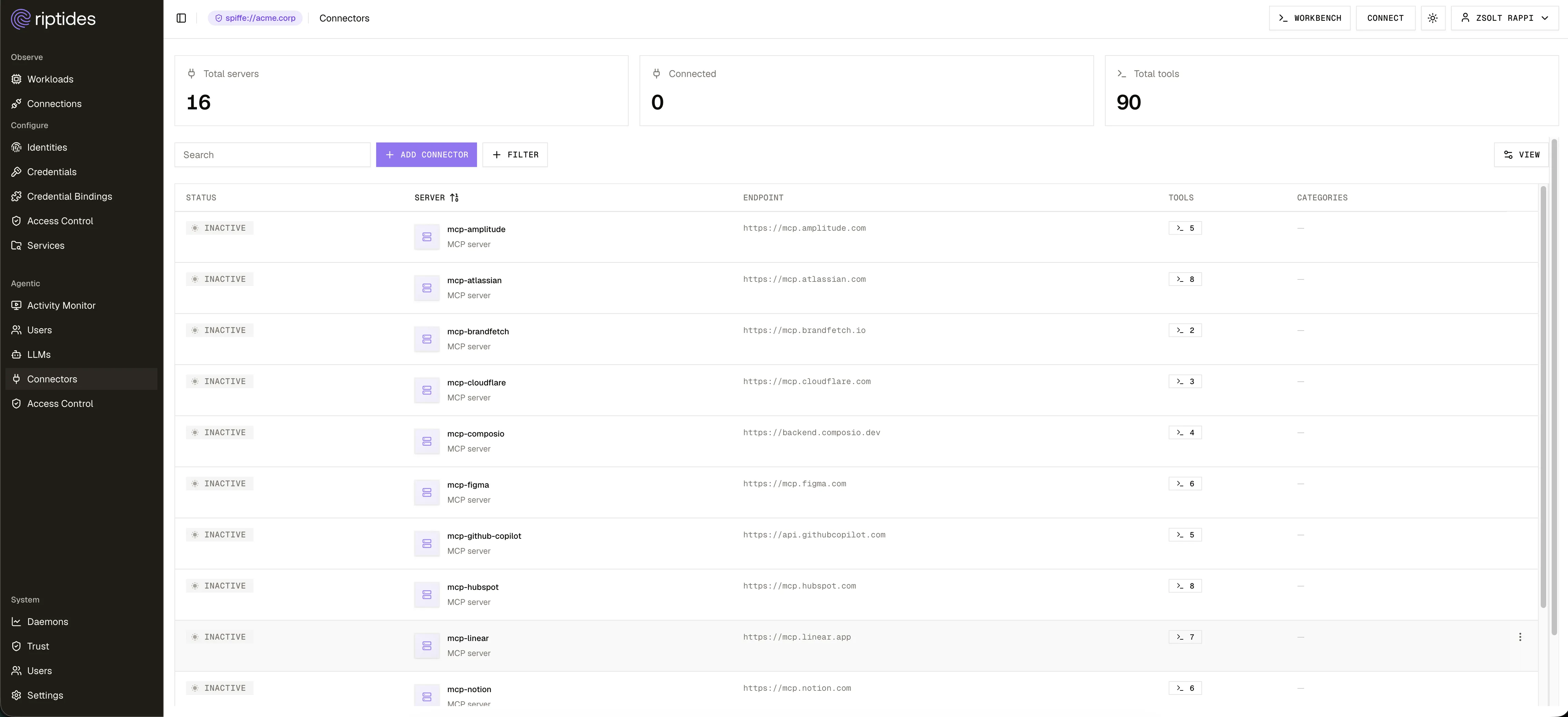
Three cards summarize the inventory: Total servers, Connected (active), and Total tools.
The table lists each connector with:
- Status: whether the server is active.
- Server: its display name and description.
- Endpoint: the MCP host it matches.
- Tools: how many tools it exposes.
- Categories: tags used to group connectors.
Search by name, and filter by status or category.
Add a connector
Section titled “Add a connector”Use Add connector to register an MCP server that is not built in. You give it a name, its endpoint, the tools it exposes, and optional categories. The transport (such as SSE or streamable HTTP) is shown for each connector based on its endpoint.
Edit or remove a connector
Section titled “Edit or remove a connector”Each row’s ⋯ menu lets you Edit a connector or Remove it. Removing a connector also removes it as a target from any policy that referenced it.
Click a connector to open its detail panel, which shows its transport, endpoint, categories, and the full list of tools it exposes, along with edit and remove actions and a YAML view.
How connectors are used in policy
Section titled “How connectors are used in policy”The tools listed here are the choices you get when restricting an agent in Access Control. Adding a connector rule for an MCP server restricts that server to the tools you list; tools of that server you do not list are blocked and hidden from the agent. Connectors without a rule stay fully allowed. Blocked tool calls appear in the Activity Monitor.
Next steps
Section titled “Next steps”- LLMs: the model providers agents can reach.
- Control agent access: restrict which tools an agent may call.